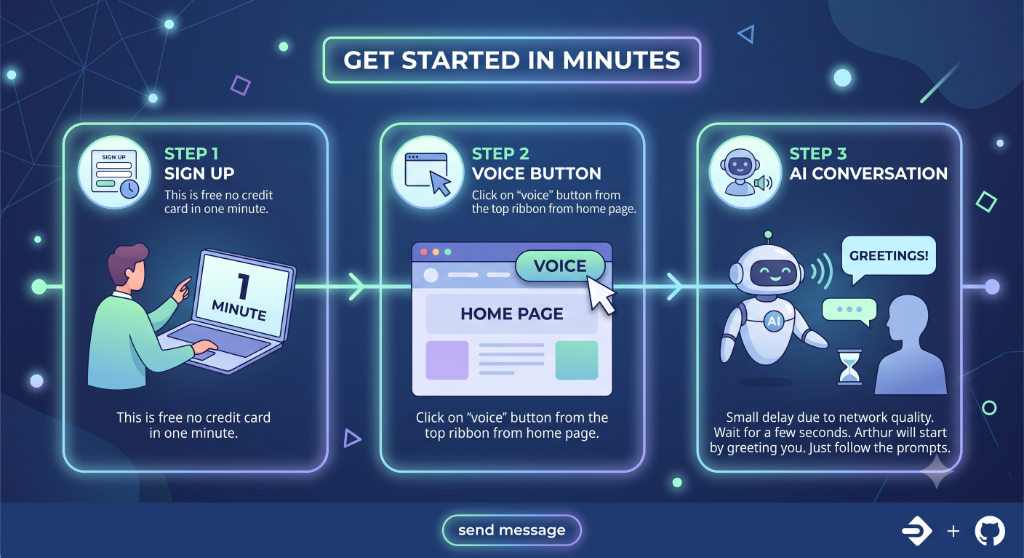
Launch voice from the homepage and it connects by itself, ready to talk.
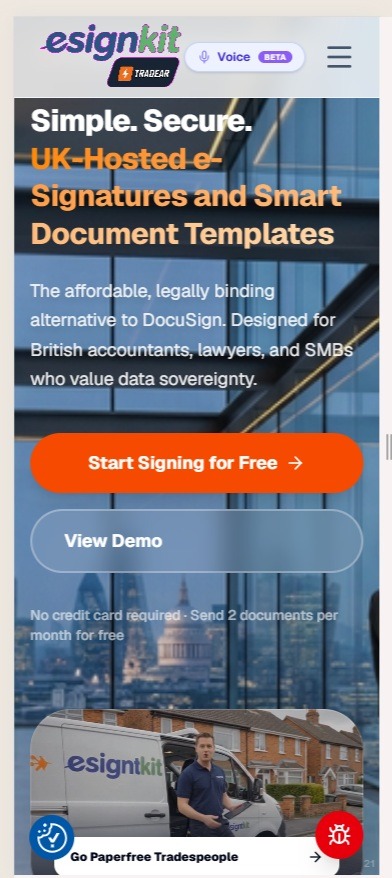
Start the Voice Assistant
Instant 1-tap start available on mobile & desktop
Sign in to Tradear and tap 'Voice' on your dashboard or in the app launcher (on esignkit.co.uk it's in the top header). This starts the voice assistant straight away, without going through any menus.
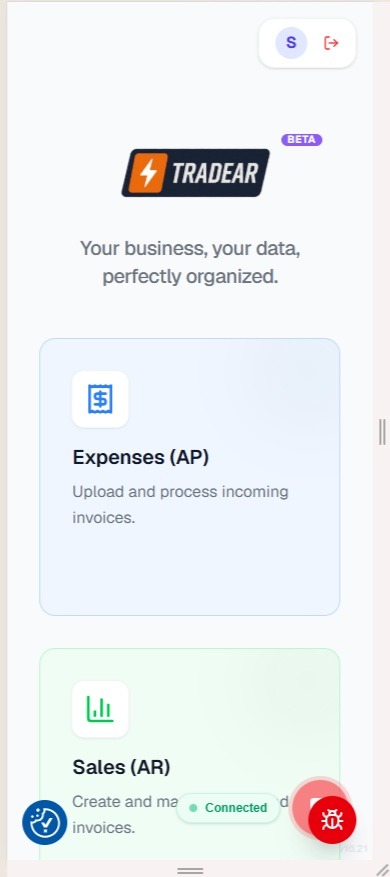
Automatic Navigation & Voice Engine Initialization
Zero action required — Voice AI connects and greets you automatically
The button click automatically navigates you to the Tradear ERP landing page (/trades/erp?voice=true). You do not need to click or tap anything on this screen. Simply wait a brief moment while the WebRTC voice engine connects in the background. As soon as the indicator shows '● Connected', Voice AI will introduce itself with a spoken greeting and ask how it can assist.
Dictate customer contact information, line items, job rates, and VAT without typing.
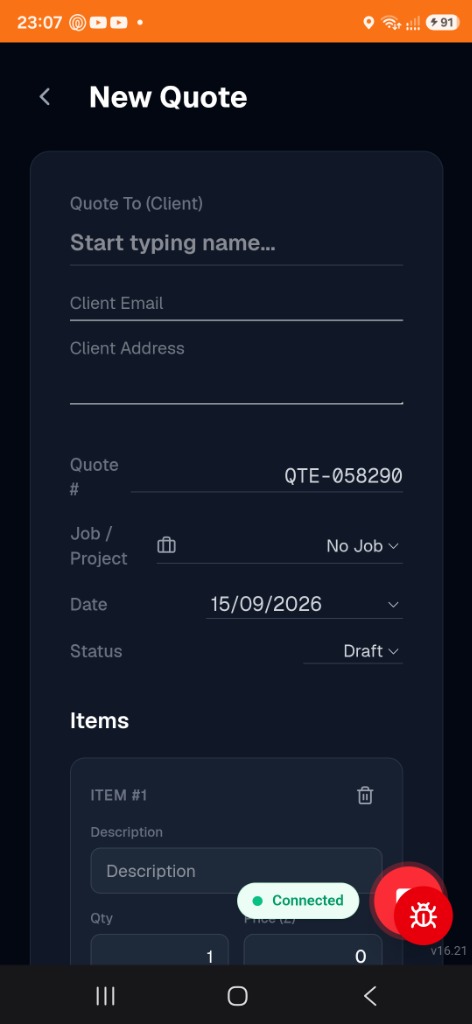
Tell Voice AI to Create a New Quote
Voice AI navigates straight to the New Quote form hands-free
Speak naturally to Voice AI to state what you need—for example: 'Create a new quote for Mr. Watt.' Voice AI understands your voice intent, navigates to the New Quote screen (/trades/erp/ar/quotes/new), and prepares the document structure completely hands-free.
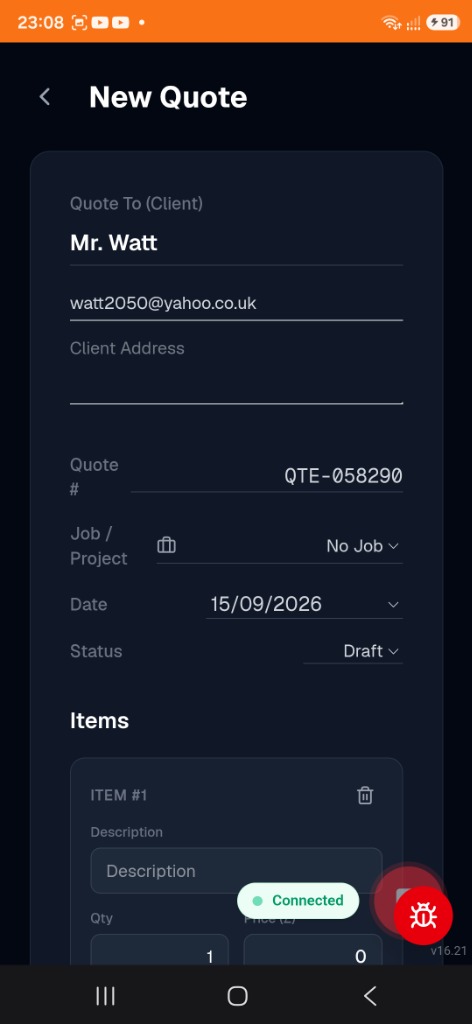
Hands-Free Client Details Entry
Voice AI enters customer name and email in real time
Dictate your customer information to Voice AI, such as 'The client name is Mr. Watt and his email is watt2050@yahoo.co.uk.' Voice AI parses the client name, validates the email formatting, and fills the fields directly on your screen without any manual typing.
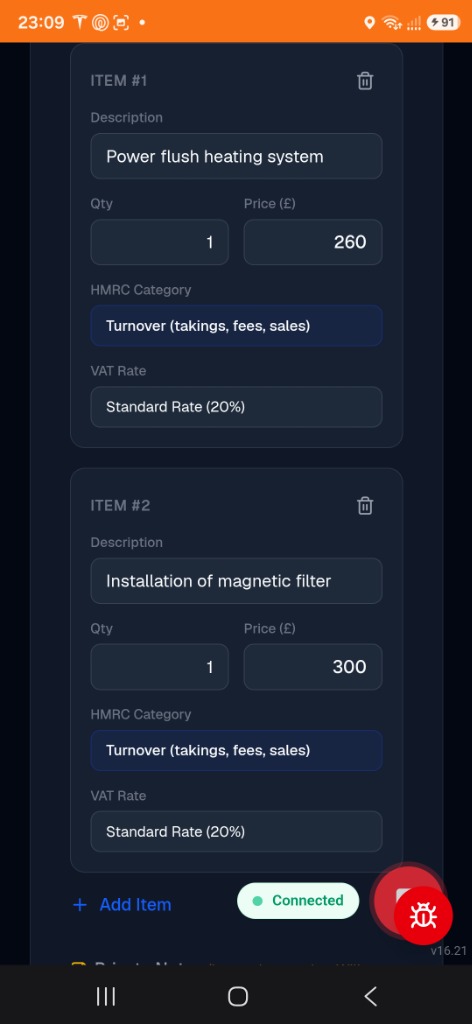
Dictate Job Line Items, Prices & Tax Categories
Multi-item extraction with automated HMRC categorization & 20% VAT
Describe the job scope and pricing to Voice AI in plain English: 'Add item one: Power flush heating system for £260. Item two: Installation of magnetic filter for £300.' Voice AI dynamically creates the quote line items, sets descriptions and unit prices, classifies them under HMRC Turnover, and computes the standard 20% VAT.
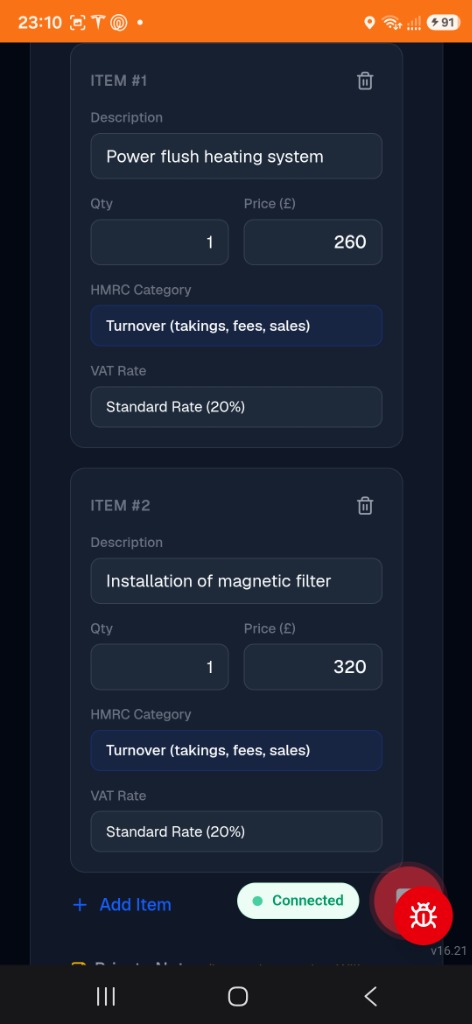
Review & Adjust Pricing on the Fly
Make quick price adjustments before finalizing the quote
If you need to tweak prices or job specs, simply say: 'Update the magnetic filter installation price to £320.' Voice AI immediately updates the line item price to £320 in real time and recalculates the gross quote total to £580.00.
Generate the official vector quote PDF, automatically place signature fields, and dispatch invitations.
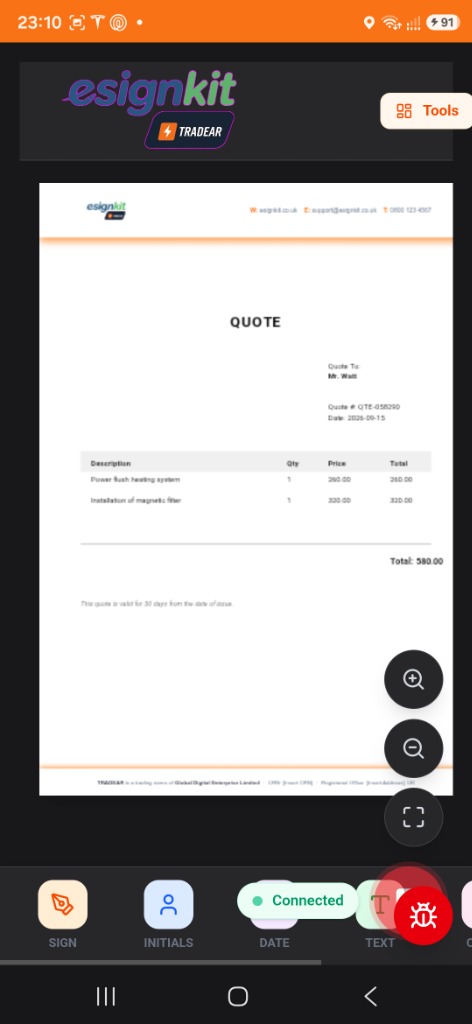
Generate Official Vector Quote Document
Tell Voice AI to send the quote for client e-signature acceptance
When you are ready, instruct: 'Please send this quote to the client for acceptance.' Voice AI compiles the quote data into an official vector PDF quote document with your company header, itemized breakdown (£580.00 total), and transitions into the EsignKit document signing canvas.
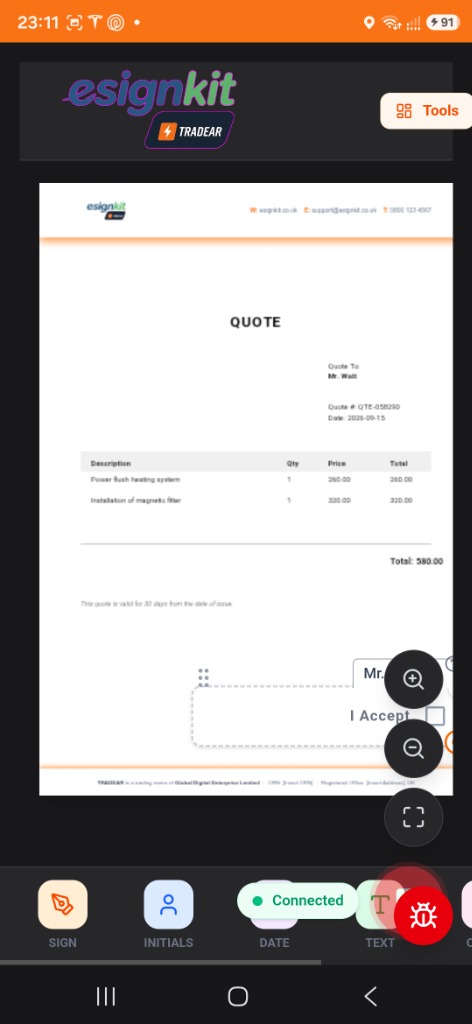
Automatic Client Acceptance & Signature Placement
Voice AI positions the digital acceptance box and signature prompt
Voice AI automatically places the client signature field and 'I Accept' acknowledgment box onto the document footer for your customer. The document is sealed with tamper-evident digital protection ready for instant customer dispatch.
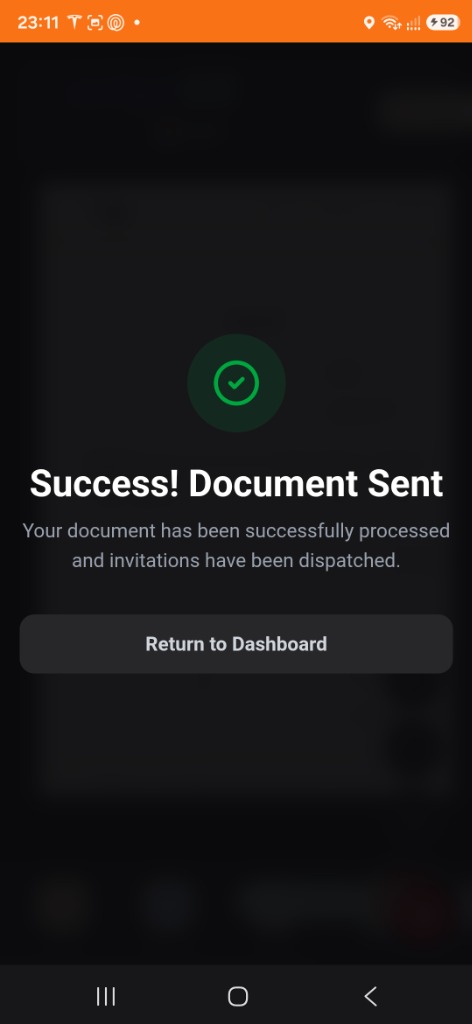
Instant Digital Invitation Sent to Client
Secure email invitation sent to customer in seconds
Voice AI seals the document and dispatches the electronic signing invitation to the customer. A confirmation dialog appears: 'Success! Document Sent — Your document has been successfully processed and invitations have been dispatched.' The client receives an email with a secure 1-tap link to view, accept, and sign the quote from any device.
Customer 1-tap approval, real-time workflow status completion, and permanent forensic audit certificates.
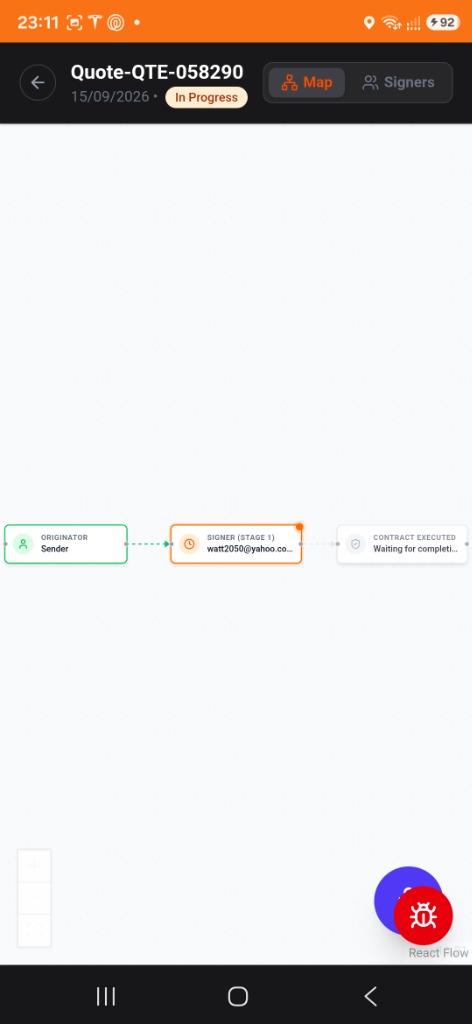
Real-Time Visual Workflow Tracker (In Progress)
Track signing stages from Originator to Signer to Execution
View the real-time visual workflow map tracking the live status of the quote. The interactive pipeline tracks each stage: Originator (Sender - Completed) → Signer Stage 1 (In Progress) → Contract Executed (Waiting for completion), backed by a cryptographic audit trail.
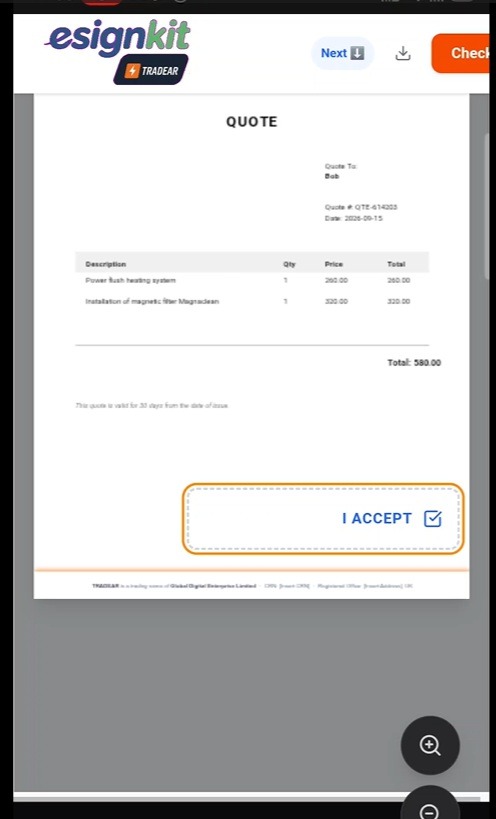
Customer 1-Tap Digital Acceptance ('I ACCEPT')
Customer reviews and taps the glowing acceptance button
The customer opens the email on their smartphone or laptop and reviews the clear £580.00 quote. To approve the job, they simply tap the highlighted 'I ACCEPT' box. No account sign-up, password creation, or software installation is required for the client.
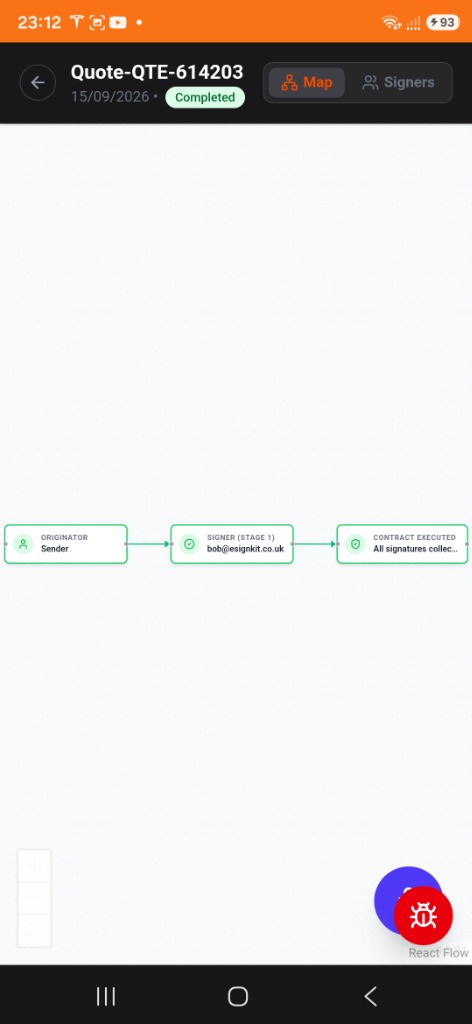
Workflow Status Pipeline Updates to 'Completed'
All pipeline nodes turn green with instant completion confirmation
As soon as the client accepts the quote, your live workflow map automatically updates to 'Completed' (Green). Every stage—Originator, Signer, and Contract Executed—displays a verified green checkmark, confirming all signatures have been collected.
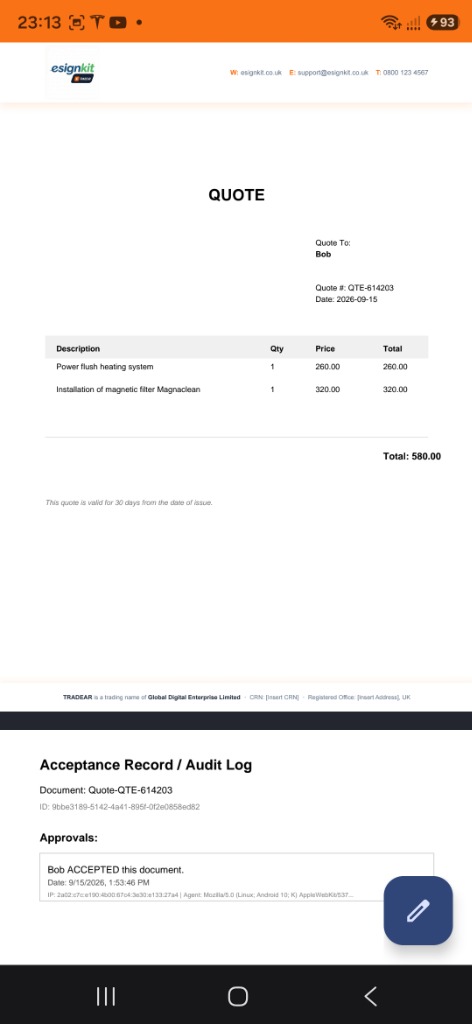
Finalized Quote with Embedded Acceptance Record
Forensic audit log and approval stamp burned into document footer
EsignKit permanently embeds the official 'Acceptance Record / Audit Log' directly into the bottom of the vector PDF. It records the signer's identity, timestamp (e.g. 9/15/2026, 1:53:46 PM), IP address, and browser user agent for dispute-proof records.
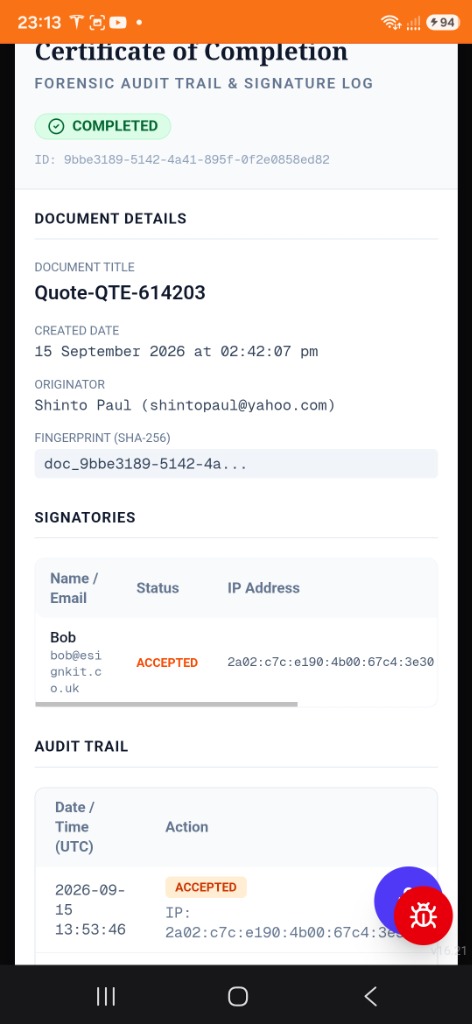
Certified Forensic Audit Trail & Signature Log
Full SHA-256 cryptographic signature log & certificate of completion
A comprehensive Certificate of Completion is automatically generated. It includes the Document Title, Unique Document ID, Originator, SHA-256 Fingerprint, Signatories log with verified IP addresses, and detailed chronological audit events.